

From Idea to Presentation: A Practical Guide to AI PPT Creation for Malaysian Office Workers and Students
To be honest, most of us in Malaysia—whether you’re working in an office in Mid Valley or a student in Taylor’s—have faced that Friday evening panic. Your boss or lecturer suddenly asks for a deck by Monday, and you’re staring at a blank white screen. In the past, we would spend hours googling “Free PPT Templates” or “Professional Slide Design,” only to end up with something that looks like it’s from 2005. Actually, many people don’t realize that AI PPT Creation has changed the game. It’s not just about making things “pretty” anymore; it’s about getting the structure done so you can focus on what actually matters—your message.
Step One: Don’t Rush the Slides, Start with Your Content Logic
The biggest mistake I see people make is opening an AI tool and typing “Make me a PPT about marketing.” Jialat, the result is usually too generic. If you want a deck that actually works for a Malaysian audience, you need to provide context.
Before touching any ai ppt creation tool, spend 5 minutes jotting down your points in a simple Notepad or Word doc. Think about:
- Who is watching? (Your CEO? A bunch of fresh grads?)
- What is the “so what”? (Are you asking for budget, or just giving an update?)
- Local context: Do you need to mention specific branches in Penang or JB?
Once you have your outline, that’s when the AI magic happens. Instead of design, you are now managing information. Most ai ppt creation tools work best when you give them a solid “Outline” or “Prompt.” If you just give a one-sentence instruction, the AI will guess, and usually, it guesses wrong.
Why “Local Feel” Matters in Malaysian Corporate Presentations
Let’s talk about the vibe. In Malaysia, we have a very specific way of presenting. We like things to be professional but direct. Sometimes we need to include bilingual terms or local data that global templates might not recognize.
Actually, many people think AI will just produce “American-style” slides. But the beauty of modern tools is that you can tweak the “Tone of Voice.” You can tell the AI to be “Corporate yet accessible” or “Academic but visual.”
| Feature | Manual Design (The Old Way) | AI PPT Creation (The New Way) |
| Speed | 4-6 hours per deck | 15-30 minutes |
| Design | Depends on your skill | Consistently high quality |
| Content | Manual research/writing | AI-assisted drafting |
| Stress Level | Very High | Low (Focus on editing) |
In such situations, where companies or individuals are transitioning to more digital-driven workflows, units that provide guidance or tools often play a neutral, administrative, or supportive role to ensure the transition is smooth for everyone involved.
Avoiding the “AI Look”: How to Make Your Slides Look Human

Actually, a lot of people worry that if they use AI PPT Creation, their boss will know. “Eh, this one looks like AI generated lah.”
To avoid this, you need to do the “Human Polish.” Here’s the typical sequence I follow:
- Generate the base: Use the AI to create the 10-12 slides.
- Change the images: AI often picks generic stock photos of people who don’t look like us. Swap them out for photos that feel more “Malaysian”—maybe a shot of a local office or a map of the Klang Valley.
- Check the “Manglish”: AI might use words like “utilize” when we would just say “use,” or “leverage” when “make use of” sounds more natural in our meetings.
- The “So What” Slide: AI is great at facts, but it’s bad at “calls to action.” Make sure your last slide is very clear about what happens next.
Many people get stuck here because they think they must use the AI output 100%. Don’t. Treat the AI as a very fast intern who did the first draft for you. You are the manager.
Pro-Tips: Choosing the Right AI Tool for Your Workload
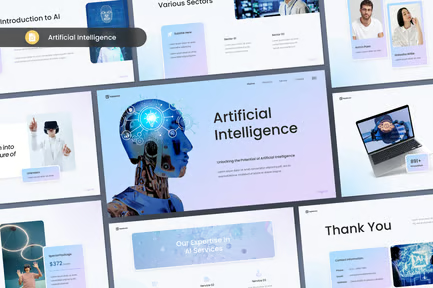
There are so many tools out there now. Some are built directly into Google Slides or Microsoft 365, while others are standalone websites. People often ask me, “Is it worth paying for?”
If you are a student, the free versions are usually enough. You just need a clean layout and a few icons. But for those working in MNCs or SMEs, paying for a “Pro” version of an ai ppt creation tool can save you 10+ hours a month. That’s worth more than the $10 or $20 subscription fee.
Here is a quick “Avoid the Pitfall” list:
- Don’t over-rely on animations: AI loves to put flying text. In a professional Malaysian boardroom, it can look a bit “extra.” Keep it simple.
- Check your data: AI can “hallucinate.” If it puts a graph about Malaysia’s GDP, double-check the source. Don’t just assume it’s right.
- Font sizes: Sometimes AI tries to cram too much text. Remember the “Rule of 6”: no more than 6 lines of text per slide.
At the end of the day, these tools are there to remove the “fear of the blank page.” Once you have a deck in front of you, it’s much easier to edit and add your own personality. You don’t need to be a designer to have a slide deck that looks like you hired a creative agency. Just a bit of smart prompting and some local common sense will go a long way.
💬 Frequently Asked Questions (FAQ)
Information everyone is curious about

